01
Customers design
Shoppers personalize the product on your product page. Every order arrives with 300 DPI print files for each side.
Customers design on your product page. PrintLab puts the prints from the orders you select on a DTF roll at real size, with optional order labels, and gives you a 300 DPI file to print.
Gang sheets and the print queue are included in the Pro and Business plans.
Shoppers personalize the product on your product page. Every order arrives with 300 DPI print files for each side.
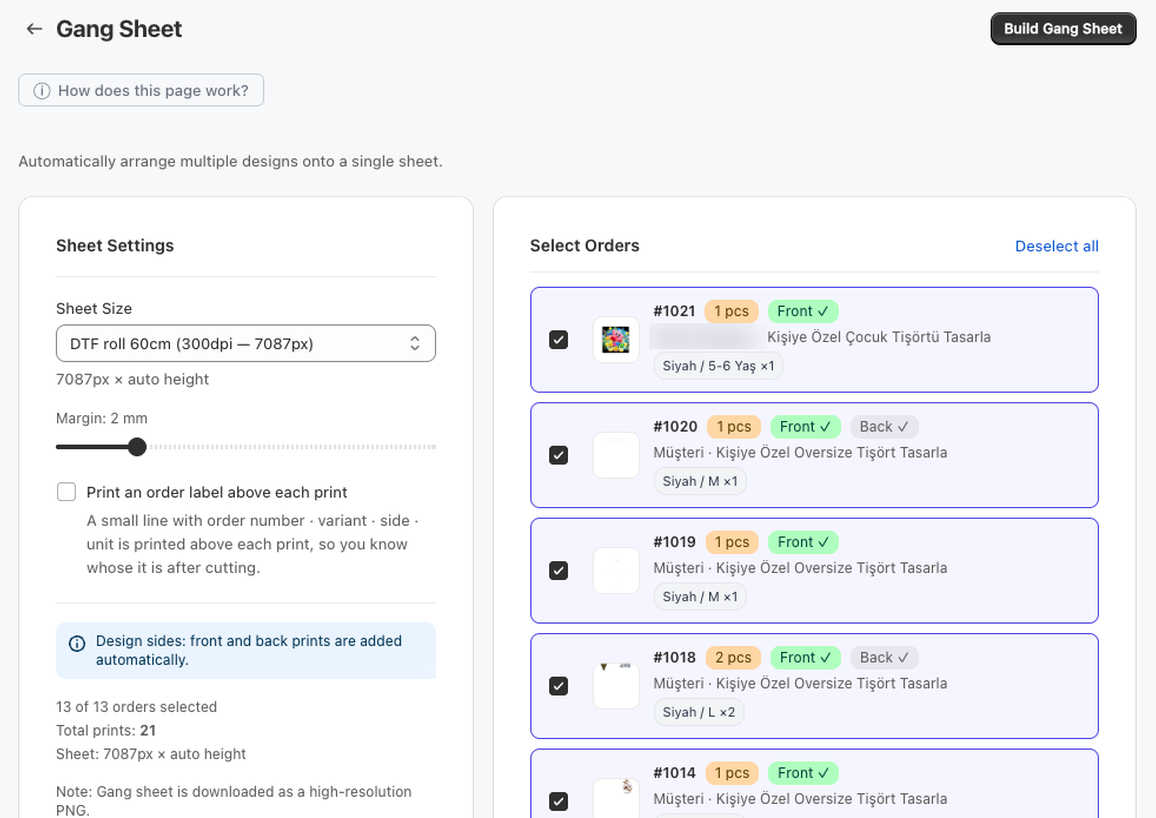
Select the orders to print, choose a 60 cm or 100 cm DTF roll or an A3/A4 page, and set the margin between prints.
The sheet is built in the background. Download a PNG, or a ZIP of 3 m parts for long rolls.
Each print keeps the size it was designed at. If a print doesn't fit, it is rotated 90°; if it still doesn't fit, you see which order it belongs to.
Prints are packed tightly and rotated where that makes the sheet shorter.
Optionally print a small line with order number, variant and side above each print, so you know whose it is after cutting.
Transparent PNGs are placed as they are, so white text and logos for dark garments are kept.
All sides of an order go on the same sheet; you don't build separate sheets per side.
Long rolls are split into 3 m parts. A3 and A4 sheets continue on new pages. Multiple files download as one ZIP.
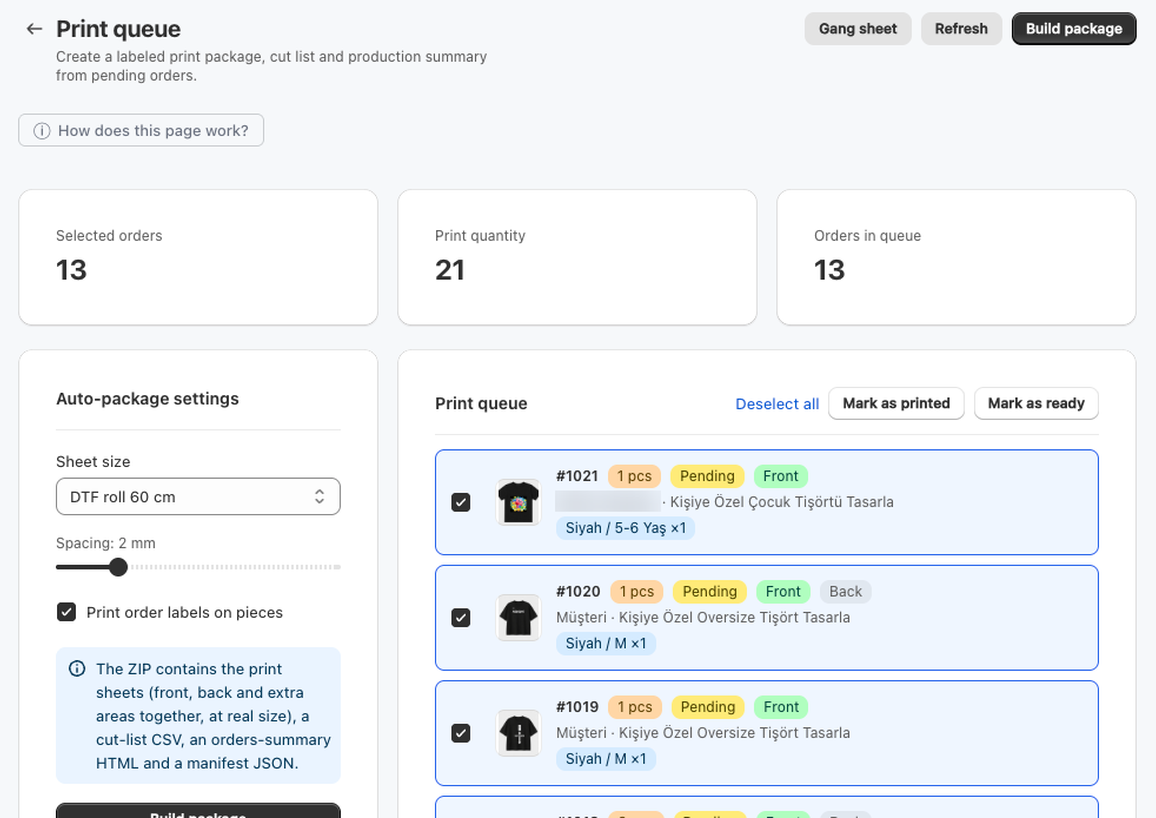
The print queue turns pending orders into a print package you can hand to the production table.
Install PrintLab, set up your first product and build a gang sheet from your next orders.