
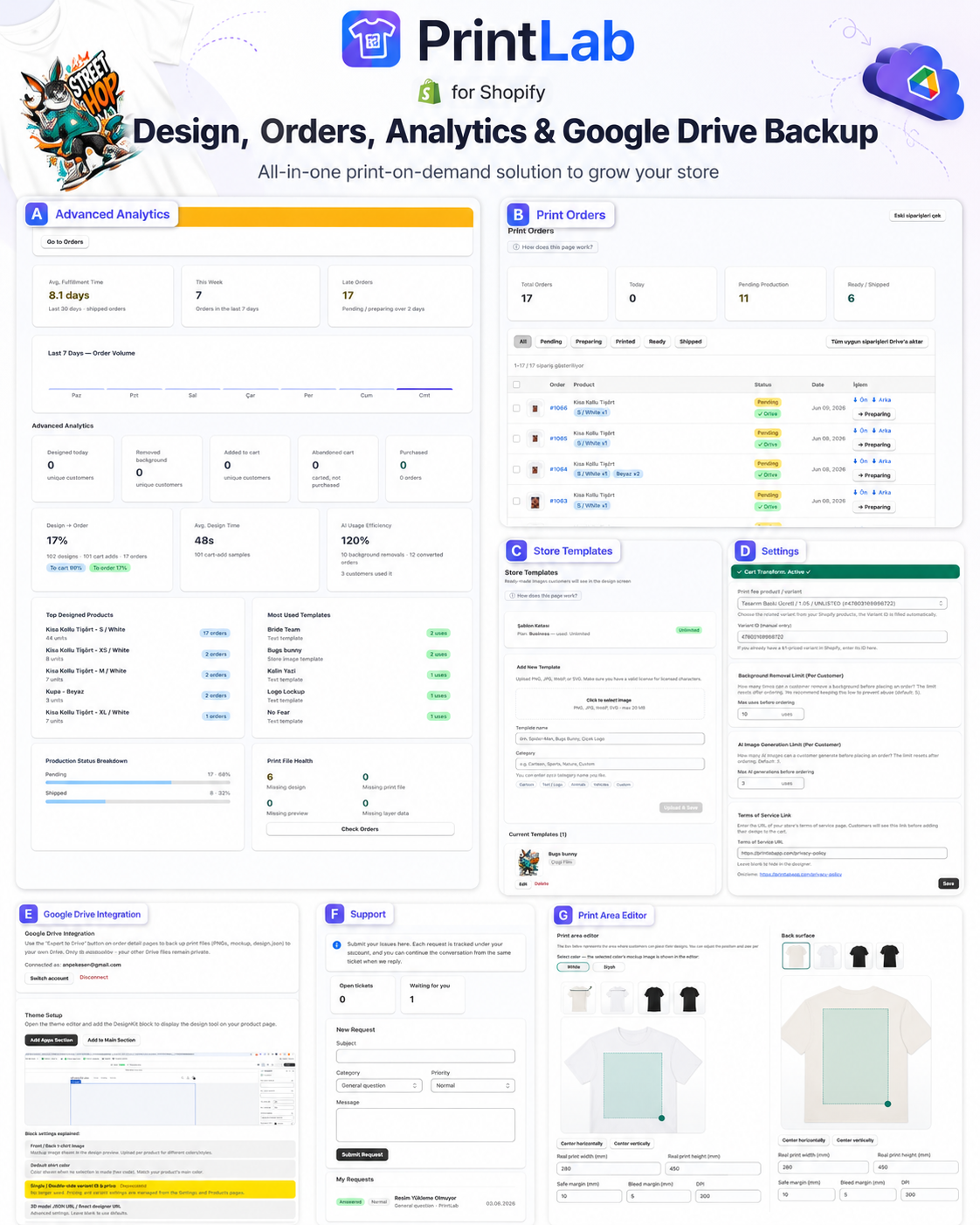
When a Shopify store starts selling personalized products, the work does not stop at collecting a design. The customer creates the product, the order arrives, the print file needs to be prepared, production status must be tracked, and files should be archived in a place the team can trust.
What print-on-demand stores actually need
A strong print-on-demand workflow connects the customer-facing design experience with the production side of the order. A preview alone is not enough. The merchant needs the order, print files, quantities, variants, production status, and backups in one readable place.
Design and order data should stay connected
When a customer customizes a t-shirt, sweatshirt, mug, or another product, the design should be attached to the Shopify order. Front print, back print, variant, quantity, and customer preview should be stored together so the production team does not search for files manually.
- The design token matches the order.
- Front and back print files are stored separately.
- Variant and quantity data are visible on the production row.
- Order status can move through pending, preparing, ready, and shipped.
Analytics is operational control, not just reporting
Daily designs, background removals, add-to-cart activity, purchases, and abandoned carts show where the store needs attention. If many customers design but few purchase, pricing, product images, or the designer flow may need review. If add-to-cart is strong but purchases are low, checkout and shipping costs should be checked.
Why Google Drive backup matters
Keeping production files only inside the app can be limiting for a growing team. A Google Drive backup can create order-based folders and store print files, previews, and order summaries in a familiar structure for production staff.
Store templates help customers start faster
Not every customer wants to design from scratch. Store templates give customers ready ideas and reduce the time it takes to reach the cart. They are useful for seasonal campaigns, team apparel, gifts, and repeat product formats.
The print area editor reduces production mistakes
Every product has different print boundaries. T-shirts, mugs, hoodies, and DTF transfers all need different safe areas. A print area editor lets the merchant define width, height, safe margins, bleed, and DPI expectations for each product type.
How PrintLab brings the workflow together
PrintLab combines a Shopify design editor, print order management, analytics, store templates, settings, Google Drive backup, support, and print area editing in one workflow. The goal is not only to help customers personalize products, but also to help merchants send correct files to production.
If your Shopify store sells personalized products, it is better to think beyond a simple design widget and choose a print-on-demand system that supports the full path from customer design to production.